Returning to Analog Organizing
from Ari's Repository
Or, How I Learnt to Stop Worrying and Trust the Paper
Ever since I returned to full time freelancing (after being refused disability benefits by the government of Saskatchewan), I've found myself feeling increasingly overwhelmed by all the spinning plates. Freelancing in the graphics and media industries in 2026 is, more than anything, an exercise in balancing many executive tasks at once.
Whether it be the increasing demand on low-tier freelancers to be marketable, or the ever-widening income gap created by GenAI further devaluing graphics skills, it’s a harder time than ever to be a freelancer. Now, instead of “simply” fighting against large scale design firms who can undercut us as freelancers, we are also working to pry our clients away from middling Generative AI designs. We must not only demonstrate our financial worth but also advocate for the essential role of human touch in design language. I've found myself needing to divest more of my time from the actual creation of the work and place more and more emphasis on, put bluntly, client acquisition and relationship management.
Don't get me wrong, I absolutely adore meeting new people and catching up with my clients. There is nothing better in the world than being able to learn about my clients and connect them with each other where it would be helpful. There's something so intensely satisfying about being the person who knows the people, the “I Got A Person For That” person. Naturally, this leads me to working on many projects at once, and keeping track of that can get a little messy. Between photography clients, artistic endeavours, music production work, community work, live performances & event planning, and personal life, it can be too much to manage at times.
Back when I was working for a busy non-profit office I tried to invest in digital management solutions. I was sold on the promise of “offloading your mind to a secondary brain”. I bought into the iPad ecosystem (twice!), absolutely certain that I’d be able to replace my trusty bullet journal. Finally, I thought, I can fully interface my digital life with my freeform bullet journaling! Well, after nearly 6 years of giving it a go, I’m finally going back to maintaining a proper journal.
What's not working?
What exactly did I try, and what were the flaws then? How did digital organizing tools fail to achieve what a simple pen, journal, and ruler could do? Doesn't that feel a little, odd?
So, what were the “must have's” for a solution to be successful:
- First class handwriting support (handwriting recognition optional)
As an avid stationary enthusiast and someone who has developed and learnt a number of shorthands, being able to handwrite something when I need was an absolute must. Even tho I am able to type between 90 to 120 wpm and handwriting takes much longer for me, it still feels easier to translate my thoughts with a pen.
- Ability to mix links, text, and images in-place alongside handwritten content
One of the big shortfalls of my classic journalling practices was being unable to easily include things like photos and links to digital resources. The more professional I became, the more often I needed to reference digital drafts and documents. Especially as I fell deeper and deeper into the freelance web-design rabbit-hole.
- Ability to quickly navigate and discover notes and knowledge
My bullet journal, with the practice of striking out unneeded or outdated information, became one of the best discoverability tools I had in my professional toolbelt for a number of years. Every so often I would find myself with some spare time and idly flip through the pages of my journal. This slowly became a way to find projects and tasks that had slipped through the cracks, and kept me honest. Any solution should help me find information, not hide information away.
Next, lets give a quick overview of the various digital tools I tried:
1. Apple Notes
Apple Notes, while being one of the more flexible and reliable solutions that I've tried, experienced just enough bugs and input lag to be frustrating. The handwriting recognition, while very helpful at times, mostly functioned as a drain on my battery when in a full work day. While in most cases I wanted to disable the feature, being able to scribble somewhere on “the page” a simple hashtag and add the note to a cloud of related information was too good.
The Pros:
The tight integration with iPad OS – which itself is tightly integrated with my daily driver MacOS – was a major benefit. Being able to tap a blank, locked screen and have a new “piece of paper” appear that supported whatever kind of scribbling I wanted was very helpful. It felt like having an infinite legal pad sitting beside me, especially with the iPad mini (6th Gen). As mentioned above, being able to scribble a hashtag onto the screen to “file it away” felt very close to an ideal workflow. Additionally, the text and media mixins were workable for using as a light assistance to my previously existing bullet journal workflow.
The Cons:
Strangely enough, the number one issue that I continue to run into across all of the software that I have tried is the lack of fixed page ordering. Sure, I could create folder structures and auto-hashtag filters and all kinds of neat auto-sorting like you would expect from a digital solution. Unfortunately, no matter how I tried to organize things, it just never clicked. Finally, it worked just consistently enough that bugs were incredibly frustrating. If the bugs happened 1 in 5 times, for example, it would be annoying but predictable. When it happened 1 in 15 times, it was workflow-breaking.
2. Apple Freeform
Apple Freeform, in opposition to Apple Notes, really gave me the ultimate freedom I needed to really map out my mind on any given task. It felt very powerful to be able to continuously paste more and more information onto a board and treat it like a giant flow chart. However, when trying to organize the boards, they are just too data heavy to be able to move around and keep synced between devices rapidly. This, in my multi-device life, was a big deal breaker.
The Pros:
It did what it said on the tin: enabled freeform idea creation on a whiteboard like surface. That's about the whole list.
The Cons:
As mentioned above, I spend a lot more time waiting for Freeform to sync than I care to admit. I don't know if the files are just large or if Freeform just doesn't get much bandwidth on iCloud, but it was just too slow. Further, as mentioned above, there wasn't really any good way to organize information across specific topics – aside from having one giant board.
3. Goodnotes
Goodnotes positions itself as the next step after Apple Notes (or other respective on-board note apps), and largely delivers on this promise. Goodnotes creates digital journals that have a single sequential numbering with freeform handwriting/typing support and digital content embedding. No hashtag support in this one, nor any linking from one note to another, but ultimately a very good option for those wanting to try the whole digital journal life!
The Pros:
You can maintain an index as if the journals were a binder with pages that can be moved from one position to another. Input flexibility was fantastic, allowing fluid mixing of handwriting, text, images, and links. Furthermore, it had a number of fantastic writing assists. Finally, unlike Apple's solutions which render the same “page” at different sizes depending on different devices, Goodnotes defines a specific page size that will always represent your elements at the same size.
The Cons:
While Goodnotes ended up as my primary digital solution after exploring the landscape for a number of years, it still didn't quite fit the bill. I utilize the page number of a journal as a reference point between different notes – allowing quick reference between varying ideas. This workflow became severely disrupted without strict personal adherence to it, which I’d much rather avoid spending my energy on. Goodnotes now functions more as a digital binder than it does a single journal or point of reference.
4. Craft Docs
Craft Docs, while I was using it (2021-2023), felt very much like if Obsidian and Bullet Journaling had a baby and spawned a handwriting-first backlink-capable note-taking and document building platform. At first, I was in love. Over time the high price per month subscription cost became too much to bear. It felt like paying a premium for paper, and I couldn't stomach it. While Goodnotes also has a paid subscription model, I was able to get by on the unpaid product. Craft Docs felt different. I've heard the subscription model has become much more approachable, but I still like paying once for a book and not having to think about it. It may warrant further exploration in the future.
The Pros:
Wonderful support for Obsidian like handwriting workflows wherein you could embed a “whiteboard” into a note, and potentially embed “whiteboards” inside “whiteboards.”
The Cons:
While incredibly well featured it became more distracting than useful, with too many fun ways to play with it. Furthermore, while the platform had fantastic potential many of the features felt half-baked (at the time). This platform had considerable promise, and may warrant a revisit in the future.
5. A host of free apps
Frankly, I've tried too many to list here. Ultimately, it always came down to a few simple issues. Namely, archive stability, app stability, and the promise of availability in the future.
The Pros:
They were free and they were varied.
The Cons:
By and large, it felt like the ecosystem of free writing recognition apps was just not where it needed to be. Ultimately, more than anything, too many of the apps that I tried were shuttered while I was experimenting with them. I really value that I can still go through my old journals when I need too, so this was a huge dealbreaker.
So why bullet journaling in 2026?
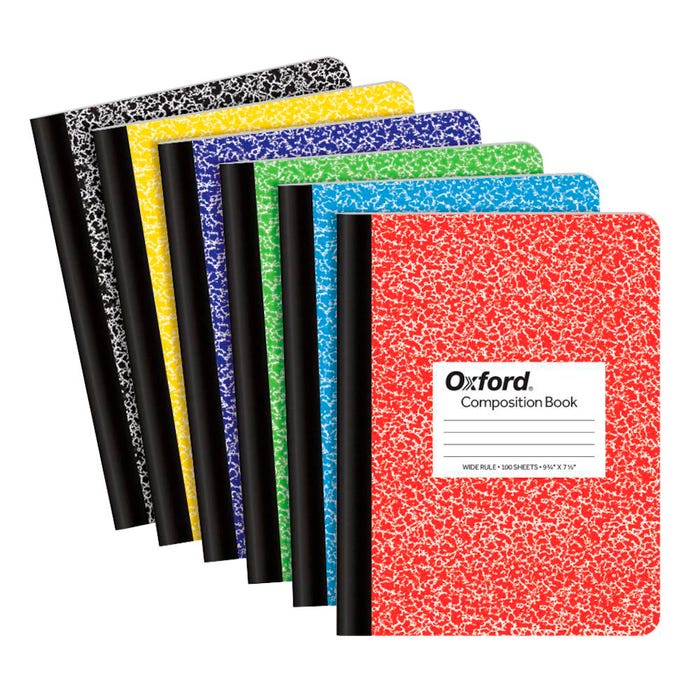
I’ve tried a plethora of solutions. I’ve adapted workflows, created organizational systems, and put these tools to the test. However, they just conflicted with something deep down within me. I think, perhaps, it might relate to learning how to organize my thoughts in traditional composition books all the way back in grade school. Bullet journalling, with its heavy use of index numbers and jumping about the book, makes great sense to my brain. It feels natural, almost like flipping through school binders like I did in university; familiar in a primal way.
This logic continues for me. Digital solutions are relatively new in the grand scope of human experience. I think there is a very simple reason why so many corporations are trying to create paper-like experiences for their digital products. I believe it’s because they have stumbled across the same thing I am trying to elaborate upon in this blog post: humans have spent thousands of years refining how to collect, produce, and archive knowledge using tools like paper and pen. My grandmother used paper to collect family histories. My grandfather’s grandfather used paper and pen to preserve music beyond tradition. I come from a lineage of people who have formed primal connections to books and bound volumes of human experience. Perhaps one day digital solutions will eclipse the reflexive knowledge built into my body through generations of tradition, but I do not believe that day has come for me.
Bullet Journalling, then, would be the ideal solution to return to for me. I’ve already poured hundreds of hours into refining my own personal journalling system, and reflexively recall advanced cataloguing structures that I have honed over those many hours. Furthermore, there is a large community of people loosely following the Bullet Journal practice who regularly share their ideas on how to further your own personal system. Earlier in this post I wrote about falling into the idea of “offloading my brain” to a digital solution. Well, it turns out, I had already been developing those reflexes and systems for years via my own bullet journal practice. After nearly 10 years of Bullet Journalling on and off my system has been reduced to a simple single-pen solution that can be made highly flexible and portable. It feels rewarding every day to open up my journal and practice mindfulness by reviewing the last day so as to structure today.
Integrating both solutions
The problem then, with embracing paper and pen solutions, is that my original issue tracking digital and visual information within the journal continues – does it not? Well, that remains true. Ultimately, I don’t have a good or concise way to include direct links to digital assets. Perhaps one day I might invest in a QR code printer that i can fit in my purse alongside the journal. However, in the now, that is just one more expense to maintain. As a digital media freelancer, every cost I can save is savings I can pass on to my clients.
As I already have a number of various solutions on both sides of this coin, why not integrate them? What happens when instead of trying to include direct reference into my journal of digital assets I instead flip the idea on its head. Why not use a platform like Obsidian to mark where in each respective journal associated information is tied too? What happens when I utilize an app like Apple Freeform to turn my iPad mini into a little window into a giant whiteboard that I can take wherever I might need? What if I treated my digital handwriting tools as the ephemeral notes that they are, like notes on a legal pad?
It’s a little too early in my return to bullet journalling and my attempts to hybridize my classic journal workflow to pass judgement. However, I remain optimistic about this current solution. Stay tuned for more in a few months!

Situated in Treaty 4 territory, Ariana Giroux is an award winning advocate, photographer, and musician. As a self taught photographer, their practice is centred in her trauma informed, queer, and trans way of knowing. Through an experimental lens, she aims to capture the nuances inherent in the experience of living a queer and radical life.
Regularly working with clients from many diverse backgrounds, Ariana spends her time building community and seeking the best cup of coffee.
Find more of her work via her littlelink.